

CroSkylink
Croskylink CS-Z5001AX-M2-T 5g SIM Card Router Industrial Full-Network Gigabit Dual-Band Smart Ipq5018 Wireless WiFi6 Manufacturer
Croskylink CS-Z5001AX-M2-T 5g SIM Card Router Industrial Full-Network Gigabit Dual-Band Smart Ipq5018 Wireless WiFi6 Manufacturer
Couldn't load pickup availability
Main features of the product:
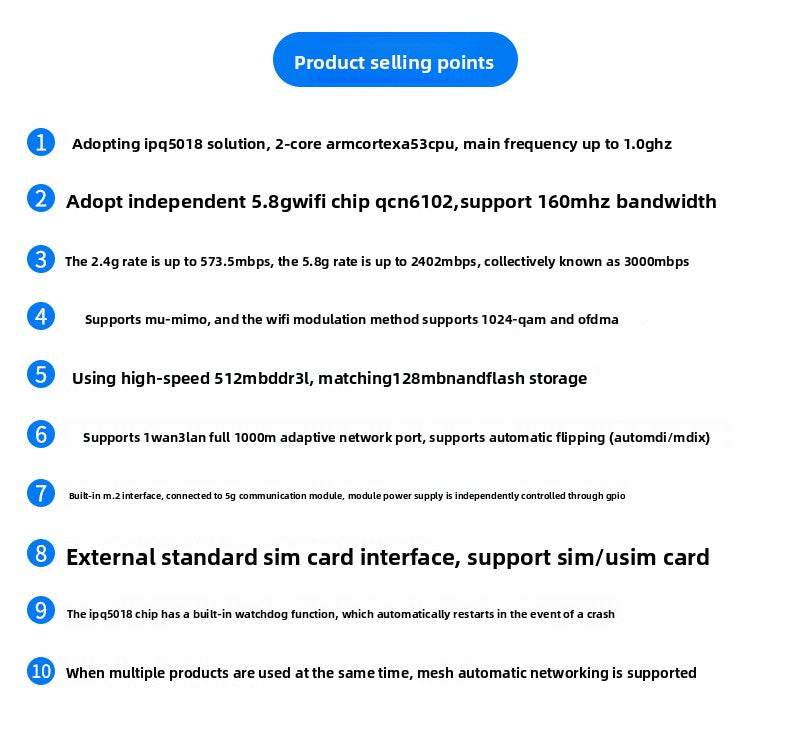
- Utilizing the IPQ5018 solution, featuring a quad-core ARM Cortex A53 CPU with a clock speed of up to 1.0GHz
- Equipped with an independent 5.8G WiFi chip QCN6102, supporting a bandwidth of 160MHz
- The 2.4G rate is up to 573.5Mbps, and the 5.8G rate is up to 2402Mbps, collectively known as 3000Mbps
- Support MU-MIMO, and the WIFI modulation method supports 1024-QAM and OFDMA
- Equipped with high-speed 512MB DDR3L, paired with 128MB NAND FLASH storage
- Supports 1WAN3LAN full 1000M adaptive network ports, and supports automatic flipping (AutoMDI/MDIX),
- Built-in M.2 interface for connecting 5G communication module, with module power supply independently controlled through GPIO
- External standard SIM card interface, supporting SIM/USIM cards
- The IPQ5018 chip comes with a watchdog function, which automatically reboots in extreme cases of system crash
- When multiple products are used simultaneously, MESH automatic networking is supported
Hardware Specifications |
|
|
Hardware Platform |
IPQ5018 4-core ARM Cortex A53s CPU, 1.0GHz clock frequency; DDR3L 512MB; 128MB NAND FLASH |
|
Protocol Standards |
IEEE 802.11ax/ac/a |
|
Wireless Rate |
2.4G: 573.5Mbps; 5.8G: 2402Mbps |
|
Operating Frequency Band |
2.4GHz/5.8GHz |
|
Antenna |
Built-in 2×2.4G antennas, 2×5.8G antennas, 4×5G cellular antennas |
|
Interfaces |
1×10/100/1000Mbps adaptive WAN port with Auto MDI/MDIX function3×10/100/1000Mbps adaptive LAN ports with Auto MDI/MDIX function1×Reset button, 1×MESH button 1×standard SIM card slot, supports SIM/USIM1×built-in M.2 interface, supports USB3.0 for 5G module expansion DC 5.5-2.1mm power jack |
|
LED Indicators |
1. Steady on when power is connected; off under power failure or no power input 2. *Red light on during boot process; red light off and green light on after boot completion *Press MESH button to enter MESH pairing state: green light blinks once per second, other lights off *Main device network normal: green and blue lights on simultaneously (cyan) *Successful MESH connection with slave device: red and blue lights on simultaneously (orange) when far away; green and blue lights on simultaneously (cyan) when distance is appropriate 3. Steady on when the router system recognizes and successfully mounts the cellular module; off when the cellular module is faulty or not connected to 5G |
|
Power Adapter |
12V/2A 1PCS |
|
Chassis |
TBD |
|
Color |
Black |
Software Specifications |
|
|
Factory Default Settings |
Default IP: 192.168.1.1; Username/Password: root/admin |
|
WAN Access Methods |
PPPoE, Dynamic IP, Static IP |
|
Security Settings |
Wireless encryption, supports WPA, WPA2 and other security encryption modes |
|
Other Practical Functions |
Configuration file import and export; Web firmware upgrade |
|
Bandwidth Control |
Supported |
|
Supported Systems |
Original SDK, openwrt |
Other Specifications |
|
|
Operating Environment |
Operating Temperature: 0°C to 40°C Storage Temperature: -40°C to 70°C Operating Humidity: 10% to 90% RH, non-condensing Storage Humidity: 5% to 90% RH, non-condensing |
Materials
Materials
Shipping & Returns
Shipping & Returns
Dimensions
Dimensions
Care Instructions
Care Instructions